
Overview
This support articles shows how to use an n8n workflow to authenticate to the Okappy REST API and retrieve a list of jobs.
n8n is a workflow automation platform that allows you to connect different systems and automate processes without needing to write extensive code. It works by linking together nodes, each representing an action such as making an API request, transforming data, or sending notifications.
Using n8n with Okappy provides several advantages:
- Automation of repetitive tasks: Automatically pull job data at scheduled intervals without manual intervention
- Integration with other systems: Easily connect Okappy data to tools such as Google Sheets, CRMs, or messaging platforms
- Visual workflow design: Build and manage integrations using a clear, node-based interface
- Flexibility and scalability: Extend workflows to include filtering, enrichment, reporting, or alerts as your needs grow
In this example, the workflow first authenticates with the Okappy API to obtain an access token, and then uses that token to request job data.
Step 1: Authenticate with Okappy
To authenticate with Okappy, in n8n
- Add an HTTP Request node
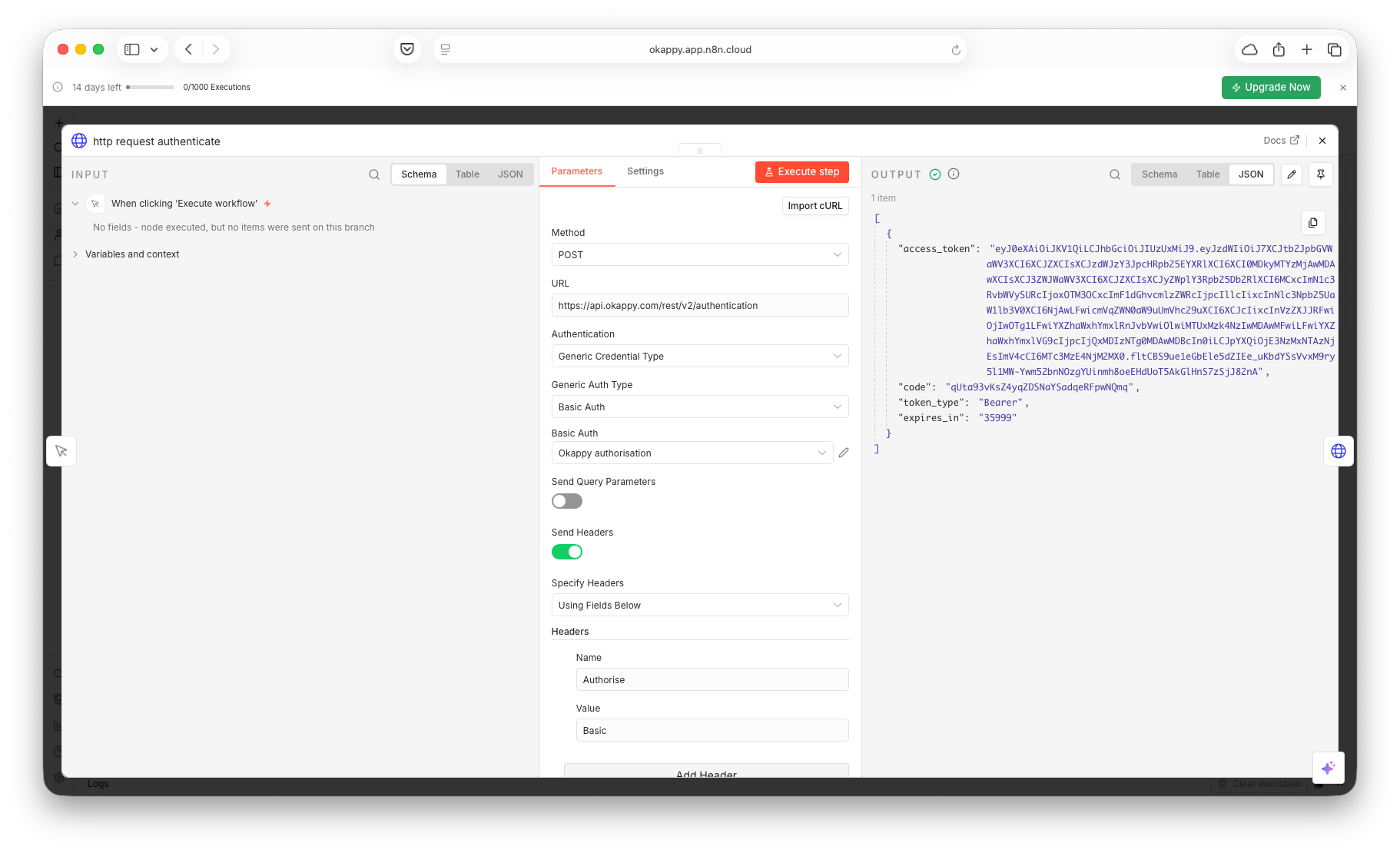
- Method: POST
- URL: https://api.okappy.com/rest/v2/authentication
- Authentication: Basic Auth
- Options: Select Response, Response Format – JSON
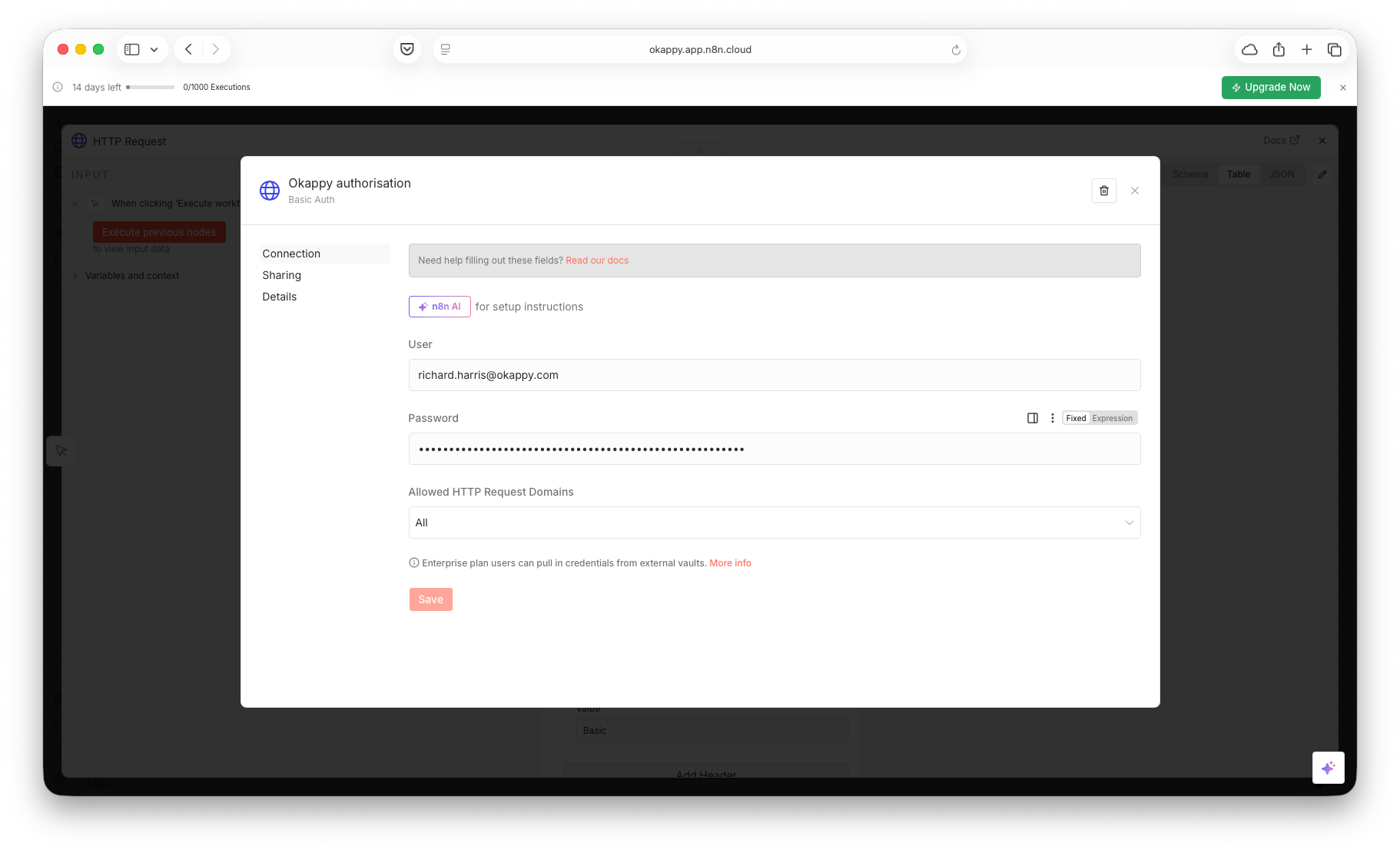
- User: Your Okappy username
- Password: your Okappy password
Then: Execute the node to retrieve the access_token returned in the data output.
Step 2: Get your list of jobs from Okappy
To get your list of jobs from Okappy
- Add a second HTTP Request node
- Method: GET
- URL: https://api.okappy.com/rest/v2/jobs
- Authentication: None
- Send Headers: On
Add header:
- Name: Authorisation (not the spelling of Authorization)
- Value:Bearer
Then: Execute the node
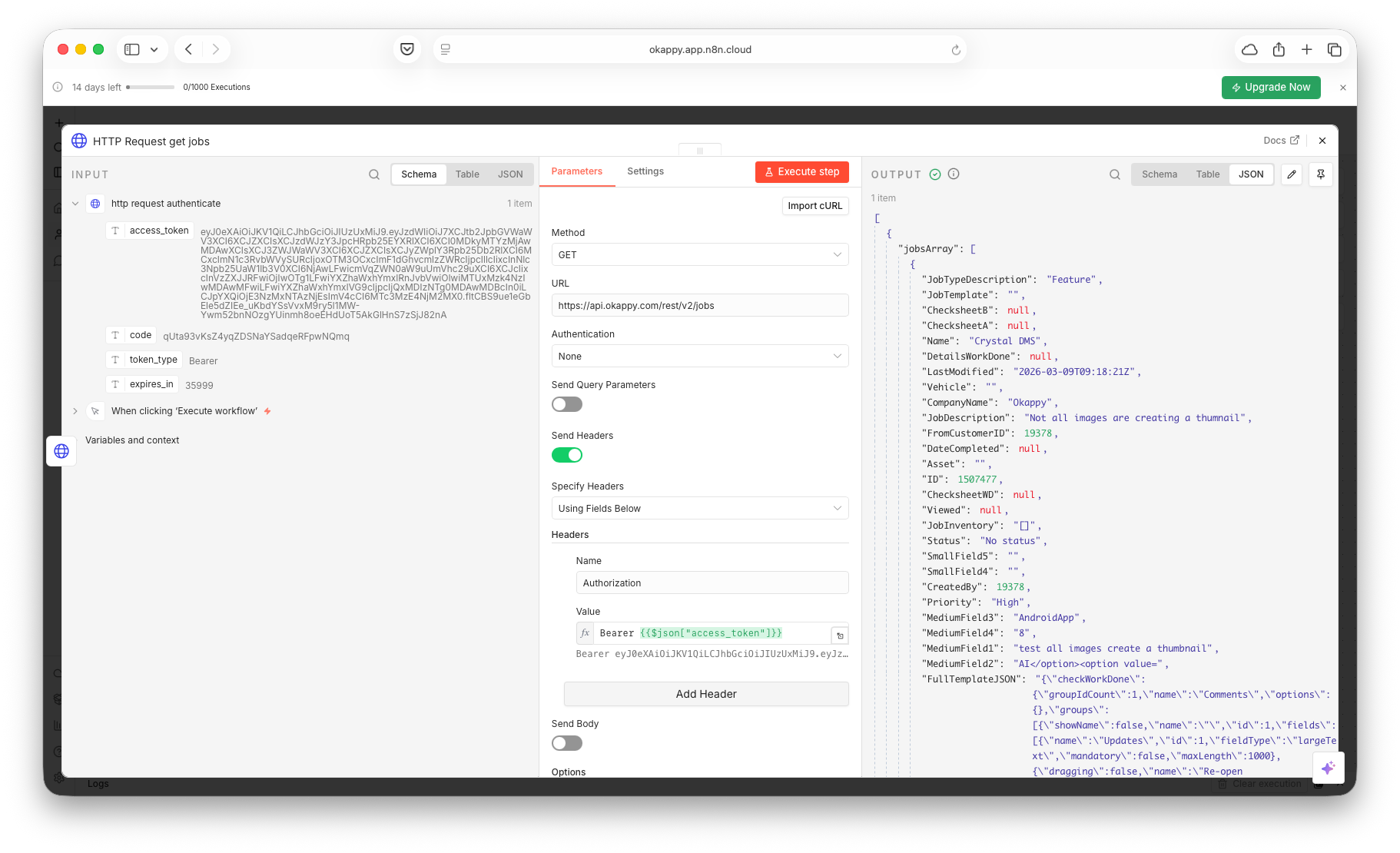
Expected response
- 200: jobs returned
- 204: no jobs available
Done: you can now add further n8n nodes to filter, write to Google Sheets, or send notifications.
- User: Your Okappy username
- Password: your Okappy password
Then: Execute the node to retrieve the access_token returned in the data output.
Querying jobs
To get a different number of jobs, enable the Send Query Parameters option and add parameters
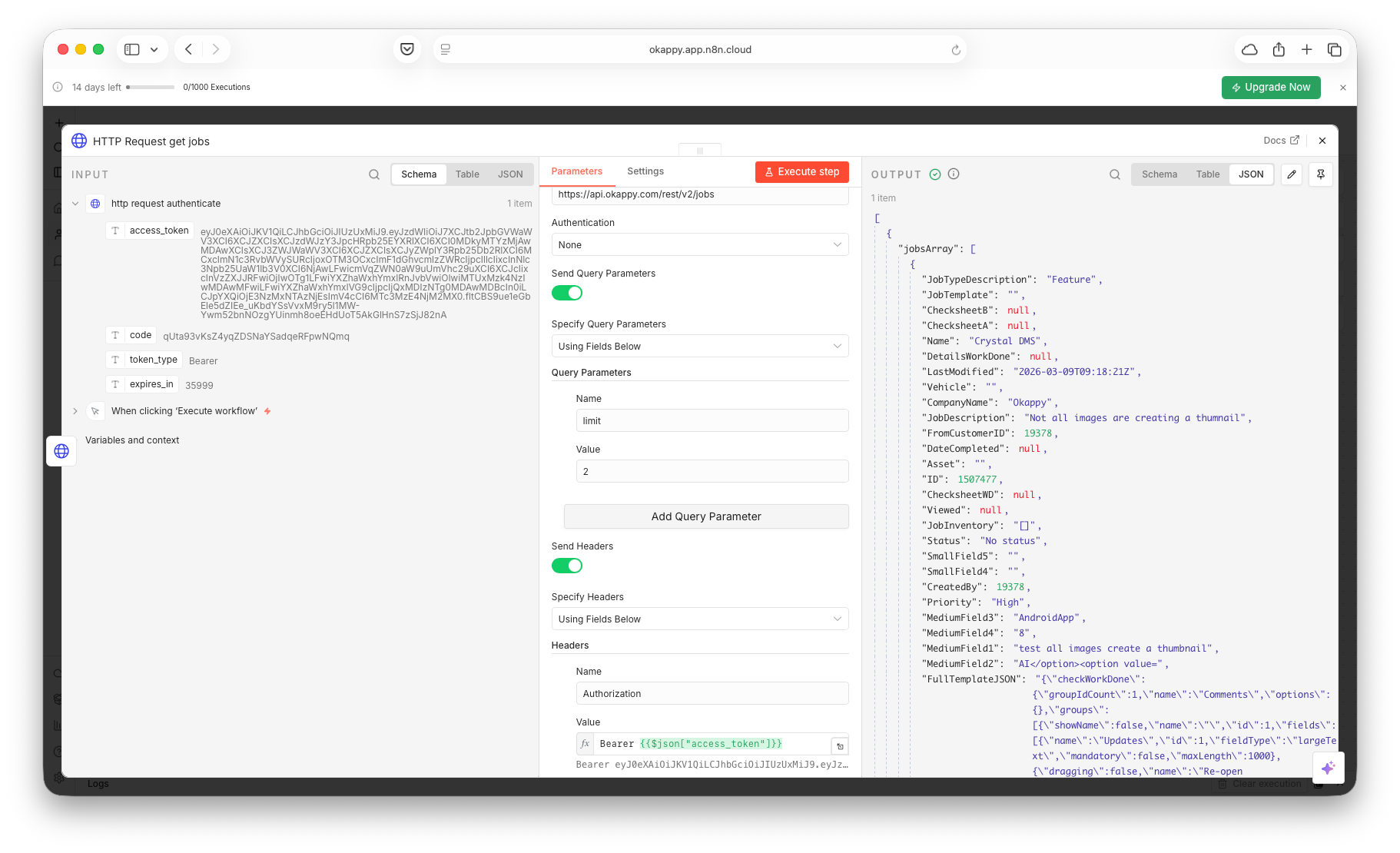
Available parameters are:
- limit: 2 (the number of jobs that are retrieved)
- offset: 0 (returns the first jobs)
- Filter: all (returns all jobs)
- Search: 12345 (only returns jobs containing 12345)
- lastModified: 2026-01-01 00:00 (only returns jobs since the start of 2026)